本篇重點
- 移除專案根目錄的
.git,即可移除本機既有 Git Repository,並且不影響其他專案檔案 .git移除後,原本的 commit history、branch、tag、remote 與 Repository 層級設定等都不再存在- 重新初始化 git 版控流程
在軟體開發過程中,若遇到專案架構大幅改動、歷史紀錄過於混亂或是要將既有專案作為新模板發佈時,可以考慮徹底清除舊有 Git 歷史紀錄並重新初始化。
Git Repository 的本機資料位於專案根目錄的 .git,其中包含 Repository 的物件資料、references、Repository 層級設定等。git init 建立新的 Repository 時,同樣會建立新的 .git 目錄。
移除本機 Git 版控
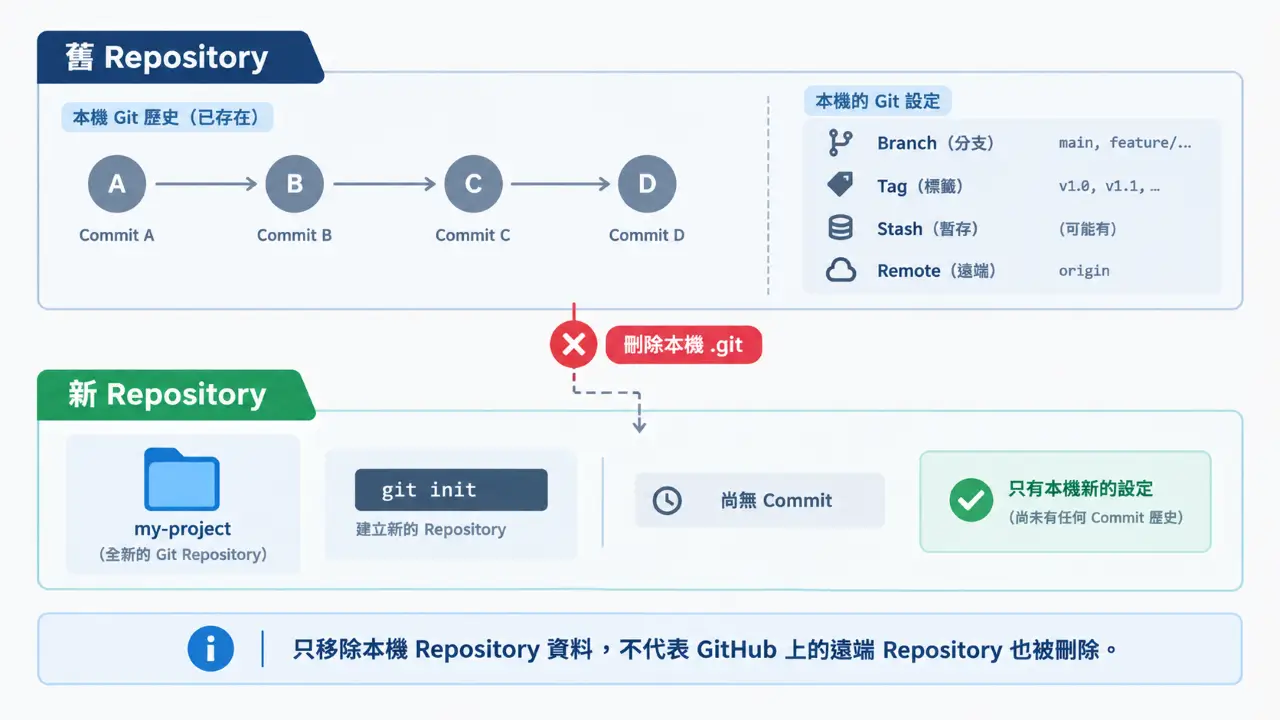
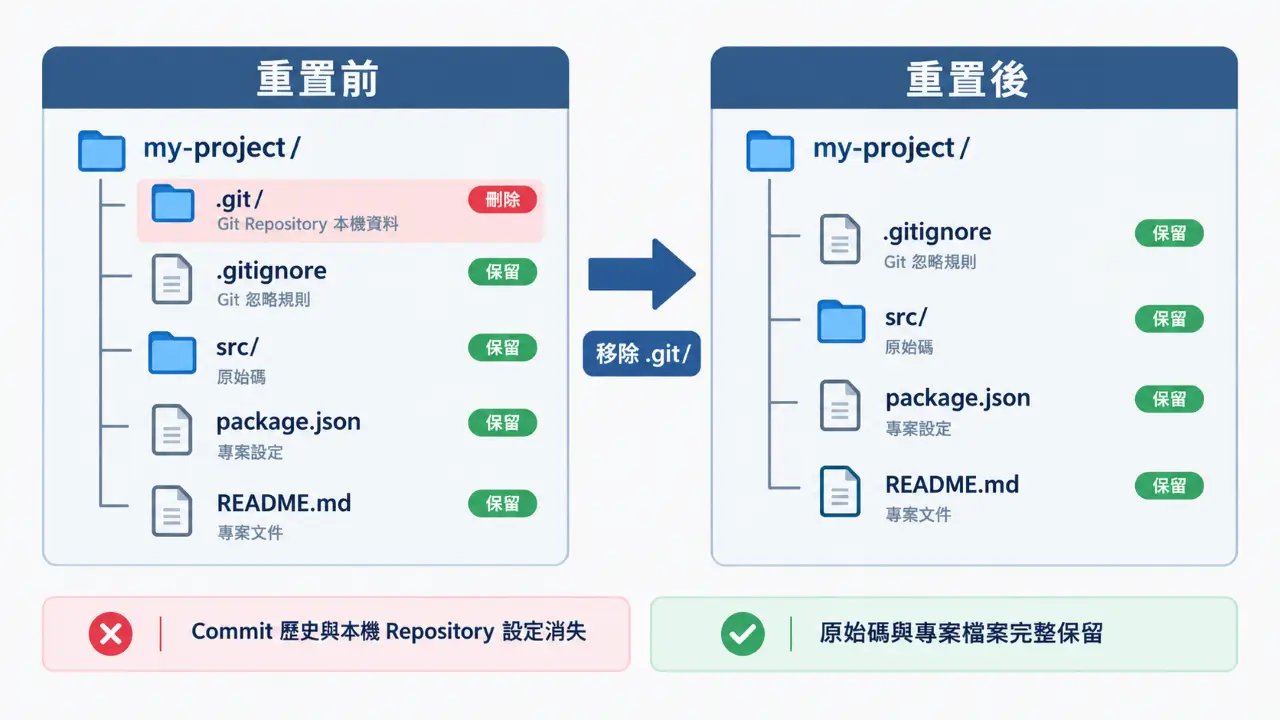
移除專案版控的機制在於刪除專案根目錄下的 .git 隱藏資料夾。
範例
當 .git 資料夾被刪除後,將產生以下影響:
- 清除範圍:全數 Commit 歷史紀錄、本地與遠端分支(Branch)、標籤(Tag)、Stash 暫存紀錄以及既有的 Remote 連接設定等等。
- 保留範圍:工作目錄中的所有實體程式碼、資源檔案與資料夾結構不受影響。
Windows 環境 (PowerShell)
在專案根目錄下執行以下指令:
1 | Remove-Item -Recurse -Force .git |
Linux / macOS 環境 (Bash / Zsh)
在專案根目錄下執行以下指令:
1 | rm -rf .git |
重新初始化與建立版控
刪除舊有的 .git 資料夾後,專案已還原為無版控狀態,接著按照標準流程進行重新初始化。
重新初始化
在專案根目錄執行以下指令,重新建立全新的 .git 資料夾結構:
1 | git init |
建立或檢查 .gitignore
為避免將編譯產物、敏感金鑰或相依性套件納入全新版控,需確認根目錄下的 .gitignore 檔案設定完整。
Node.js 專案 .gitignore 範例
1 | node_modules/ |
設定 Git 身份
所有專案都使用相同的 Git 身分,可以設定:
1 | git config --global user.name "Your Name" |
user.name 與 user.email 會用於 Commit 的 author 與 committer 資訊。
如果只希望設定目前這個 Repository,則省略 --global:
1 | git config user.name "Your Name" |
這些設定會寫入目前 Repository 的 .git/config。
重新連接 GitHub
重新建立 Git Repository 後,目前 Repository 還沒有 Remote,因此需要重新設定 GitHub Repository URL
1 | git remote add origin <repository-url> |
例如
1 | git remote add origin https://github.com/example/my-project.git |
驗證 Remote
1 | git remote -v |
結論
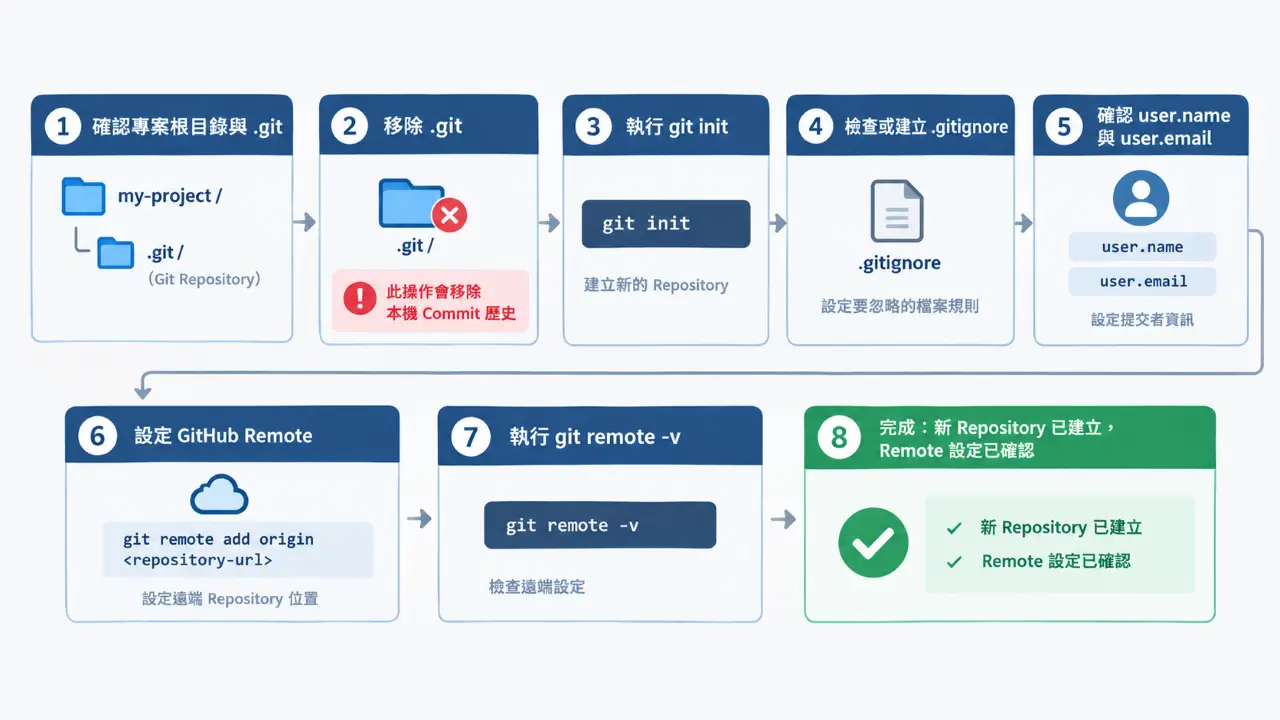
透過刪除本機的 .git 隱藏資料夾,可以在保留原有專案檔案的情況下,清除既有的 Commit 歷史與分支紀錄。接著,透過 git init 重新初始化版本控制,並設定適當的 .gitignore,最後連接新遠端儲存庫,即可建立全新的版控起點。